Two new plug-ins!

Today we’re super excited to add two new plug-ins to the Sketch Audio FX lineup.

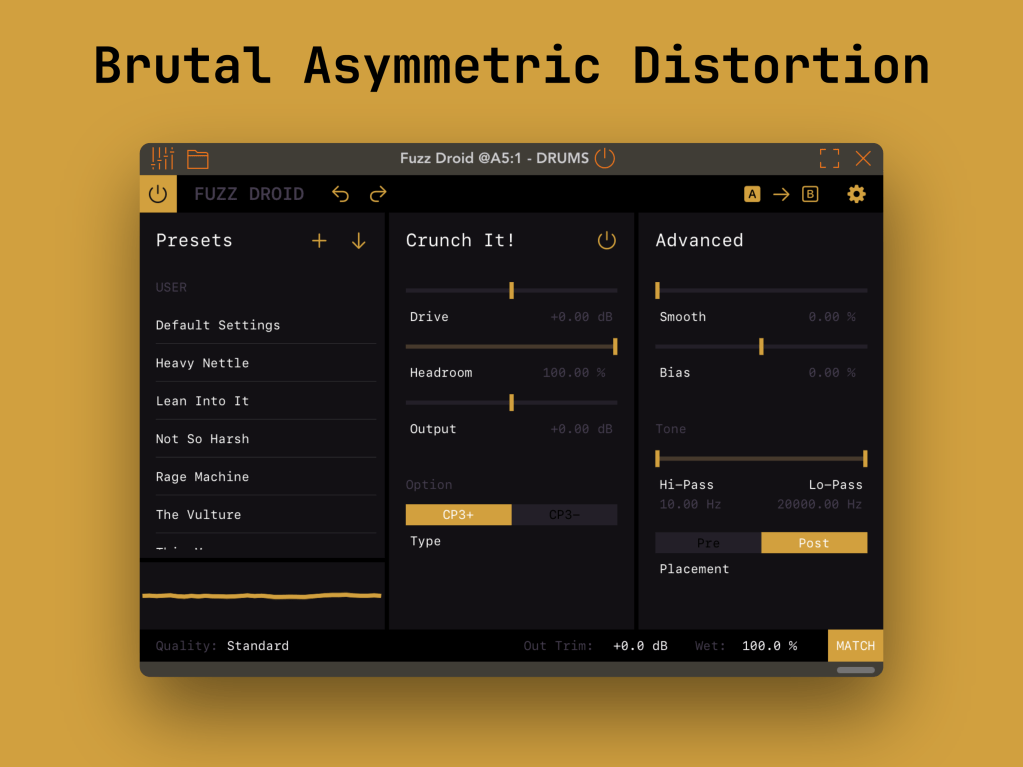
Hello, Fuzz Droid.

Fuzz Droid is a distortion effect based on the CP3 modular mixer. The original module features a sharp, asymmetric discontinuity that makes for a unique & aggressive sound!  

If you find the main circuit a little too rude, we also included a smoother curve from the same module.  

We also took the opportunity to add some digital extras: a custom smoothing function, adjustable bias, and flexible tone-shaping filters to fine tune your sound.  

The result is the rudest effect we’ve created so far!
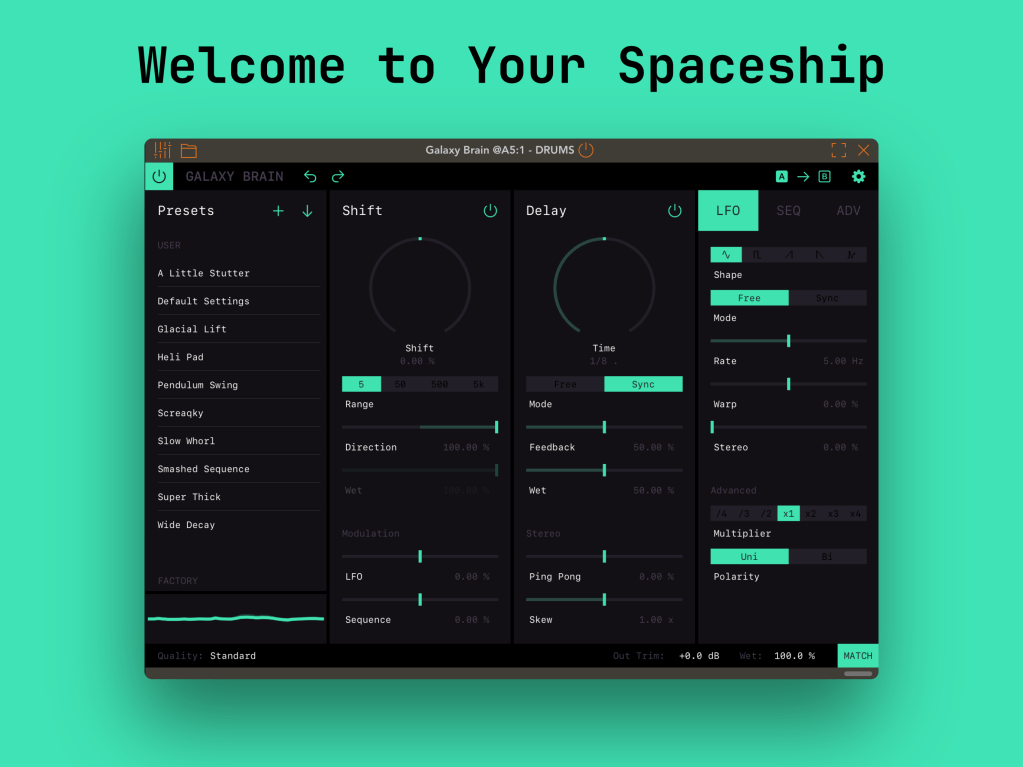
Galaxy Brain, hey!

Galaxy Brain is a frequency shifter + delay combo ready to take any sound into outer space. With easy stereo controls, two modulation sources (LFO + sequence) & optional hardware clipping, things can go intergalactic very quickly!  

In our frequency shifter we included the same range options as the original 1630 module, and each one has its own strengths. From thick chorusy effects, choppy AM sounds, to space-laser SFX, it’s all packed inside.  

The delay module follows a straightforward digital approach but has a few nice extras thrown in: tone-shaping filters in the feedback loop, wet signal ducking, and easy stereo controls.
Both effects are available on the Apple App Store (macOS or iOS) with a free two-week trial and a one-time purchase to unlock the plug-in. If you pick them up before Feb. 9, the Full Unlock is 50% off! Try them out today 🙂

Fuzz Droid

Galaxy Brain

3 responses to “Two new plug-ins!”

  1. Anders Avatar
    Anders

    The new Galaxy Brain UI: Please bring back the Range as four separate buttons. This became a part of my performance to be able to quickly go to any of them, usually (but not always :-)) avoiding the 5kHz which often entered tinnitus territory (why not add a filter?). I could see at a glance which range I had selected. Now I have to cycle through all of them, including the tinnitus, squinting to read a number – and in the case of “5”, squint to see if there is a tiny “k” in front of the “Hz”, if I am not already deafened by a whine. This is not progress!

    I wouldn’t mind you bringing back the buttons for LFO shapes and multiply/divide either. In fact, the whole “old” UI was exemplary: Simple and uncluttered, easy and quick to get an overview, easy and quick to navigate. Now, on iPhone at least, I have to tap back and forth between 3 nearly identical screens, squinting to read values on buttons. Again, this is not progress. Kindly consider to make the “old” UI available again, as an option. Or at the very least, the range buttons.

    It is a brilliant app, that immediately became part of my vocabulary. That is why I am annoyed at what I think is a needless complication.

    BR

    Anders

    Like

    1. Ryan Robinson Avatar

      Hi Anders, thanks for the comment. This is something we also liked about the old UI. 🙂 In the new UI, you can still go directly from one range value to another, but you have to long press and then you will see the four options to choose from. Not quite as fast as the old way but still allows for direct changes between values for performance.

      Hope this helps! Thanks for the feedback. We always keep it in mind for the future.

      Like

      1. Anders Koch Avatar
        Anders Koch

        Hi Ryan,

        Thank you for taking time to respond, and thank you for the long press tip! Still, as you say, “not as fast” and a two step manoeuvre (plus navigating to the page), which slows me down during performance 🙂 So I hope you will find some way of changing this in the future.

        BR Anders

        (While I am in wishmode, an internal LFO for the Delay would be welcome too.. :-))

        >

        Like

Leave a reply to Ryan Robinson Cancel reply